Couple of months ago, I wrote on the topic on “How to stop your MSN sending out SPAM messages, its not virus.” where it helps a number of my friends to cure their MSN from continuing spamming. It is however that only solved partial of the problems as there are really cases where Virus / Spyware / Adware involved.
So, having utilize the power of Google, I came across this Post that introducing 2 of so called MSN cleaner that suppose to clean and removes some popular Virus that affecting MSN. If you have been affected and want to try out whatever you can try before having to either quit MSN or to have reformat your System. Here are the 2 x softwares you can give it a try. ( Disclaimer : I have not personally tried these softwares and hence do not know if they are working as they claimed nor I will take any responsible if these software actually are the virus and cause more damages to your system and ended up with total destruction )
1. MSN Cleaner by InfoSpyware ( It is actually in Spanish )
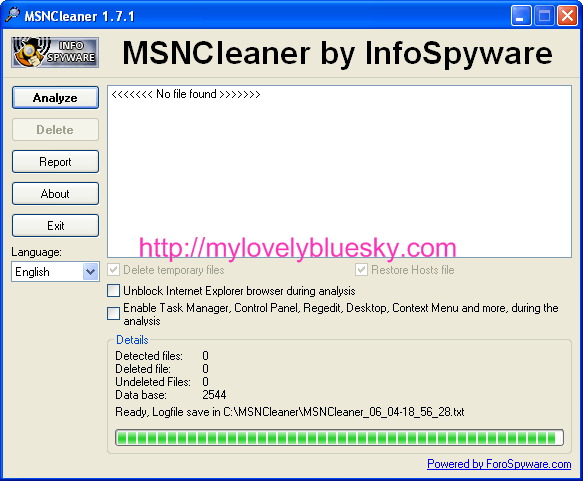
2. MSN Photo Virus Removal
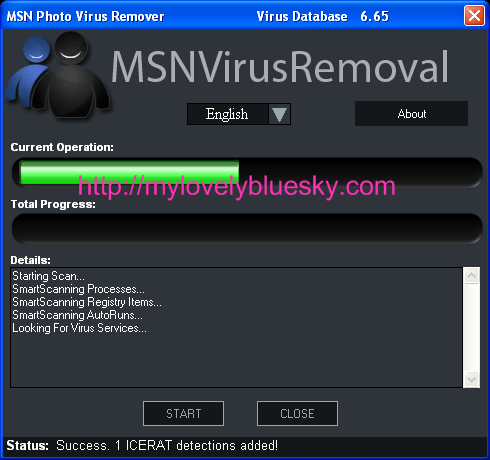
For those that suffered from it.. if you do decided to give it to try, don’t forget to drop by after you tried it to let us know if they work for you. The feedbacks ( If they do work ) could helps those that still suffers.
I couldn’t resist to download both of them and ran them on my system ( I do need to capture the images when it is running LOL). The tools look clean by themselves when i scanned them with NAV. As expected, my system is very clean when I performed the scanning… but anyway, use at your own risks and Good Luck on trying out.
呵呵~酱就可以解救了很多人了
小虫少开就不容易中吧!哈哈
小虫´s lastest post..咋倒~。。
小虫,
有时不怕一万,只怕万一。
呵呵, 这解救方法真的很不错哦!
Akira´s lastest post..谢谢Agnes和Vivian的礼物
Akira,
我还希望有人试了后给我们报告一下结果。
希望可以帮那些人解决这些讨厌的病毒。
Invisible,
我也是希望能帮得到。
It’s useful messages..10s 4 yr sharing~
斯仪´s lastest post..紫色扶桑的风采
Thanks for your sharing, i do hope that i wont need to use it :-p
yuyu´s lastest post..乖乖女不喝酒?
谢谢分享。。。 /tq
I realise that there are sometimes pops-up when I visit my blog’s homepage. The pop-ups are mainly advertisement.
Do you have cure?
Thanks a million! =)
tg´s lastest post..老人与渡口
tg,
Normally those are caused by 2 reasons.
1. There is some wares that hijacked your browser and launched some pages whenever you open up something.
– You can try to scan using virus scanners. One of my favorite scanner to use is “Combofix” which helped me to saved pretty much a lot of systems.
– Worst case is that you will have to reformat it if there are nothing / or you know no one that can help you can do to fix it.
2. The website has some triggers that launches some pages when you visited them.
– For this, you just set your pop up blocker to dismiss those.
谢谢分享噢! /tq
chaos´s lastest post..无题四
Thank you, worked great for me and extremely fast!